
HIPAA Risk Management When Using Virtual Assistants
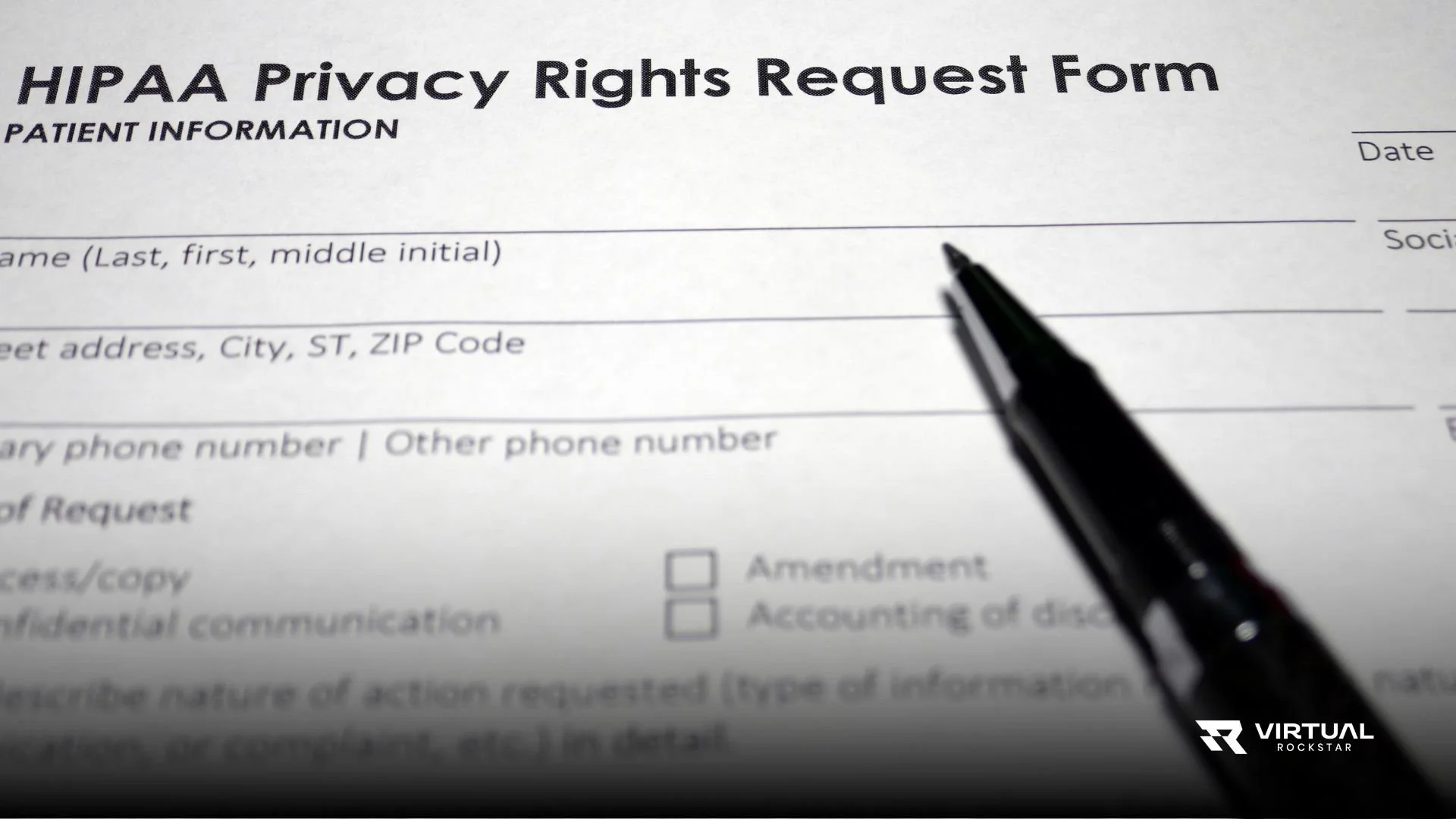
You hired a HIPAA compliant virtual assistant to lighten your administrative load. You signed the Business Associate Agreement. You verified their training. Everything seems handled.
But HIPAA compliance isn't a one-time setup—it's ongoing risk management. The risks don't disappear once you've hired someone qualified. They evolve as your working relationship develops, as technologies change, and as new vulnerabilities emerge.
Most practices approach virtual assistant compliance reactively. They wait for problems to surface before addressing risks. By then, the damage is already done—patient data has been exposed, violations have occurred, and costly consequences are unfolding.
Smart risk management means identifying vulnerabilities before they become incidents, implementing safeguards that prevent problems, and maintaining vigilance throughout your working relationship. Let's walk through how to manage HIPAA risks effectively when working with virtual assistants.
Understanding Your Risk Profile
Not all practices face identical risks when using virtual assistants. Your specific risk profile depends on what information your HIPAA compliant virtual assistant accesses, what systems they use, and what tasks they perform.
A virtual assistant who only handles appointment scheduling with limited patient information presents different risks than one who processes insurance claims with full access to medical records and financial data. Someone who works exclusively within your practice management system faces different vulnerabilities than someone who downloads files and works with them locally.
Start by mapping exactly what your virtual assistant does and what data they touch. Document every system they access, every type of information they handle, and every workflow they participate in. This inventory reveals where your exposure actually exists.
Many practices discover through this exercise that their virtual assistant has broader access than necessary. They gave full system permissions when limited access would work fine. They share more information than required because it's convenient. Each unnecessary access point is an unnecessary risk.
Understanding your risk profile helps you prioritize protection efforts. You focus resources on securing the highest-risk activities and information, rather than applying generic security measures that might miss critical vulnerabilities.
Access Control as Your First Line of Defense
The most effective way to reduce risk is limiting what your HIPAA compliant virtual assistant can access in the first place. The minimum necessary standard isn't just a compliance requirement—it's a risk management strategy.
Review every system permission your virtual assistant has. Can they view all patient records when they only need to see scheduled appointments? Do they have access to financial information they never use? Can they modify settings they should only read?
Most practice management systems allow granular permission settings. You can restrict access by patient population, by data type, by time period, or by specific functions. Use these controls to create the narrowest access profile that still allows your virtual assistant to do their job effectively.
Implement time-based restrictions where appropriate. If your virtual assistant works specific hours, their system access should be limited to those hours. After-hours access creates opportunities for unauthorized use or account compromise without anyone noticing.
Use separate accounts for different functions. If your virtual assistant handles both scheduling and billing, consider separate logins for each role with different permission levels. This creates natural barriers that contain potential breaches and provide clearer audit trails.
Document why each access permission exists. When you review access controls six months later, you'll know the reasoning behind each decision. This documentation also helps during audits when you need to demonstrate that access was thoughtfully restricted, not carelessly granted.
Communication Security Requires Constant Vigilance
You established secure communication channels when you hired your HIPAA compliant virtual assistant. But communication patterns evolve, and convenience often undermines security over time.
Monitor how you actually communicate versus how you planned to communicate. Do you still use encrypted messaging for sensitive topics, or have you started texting quick questions that include patient names? Does your virtual assistant still log into the secure portal, or do they ask you to email files for convenience?
This drift happens gradually. One urgent situation leads to a text message. That works fine, so texts become more common. Before long, you're regularly sharing patient information through unsecured channels without consciously deciding to abandon your security protocols.
Set clear boundaries and stick to them. Patient names and identifying information never go through regular text or email. Clinical information always uses encrypted channels. File transfers always happen through secure portals, never as email attachments.
Create simple decision rules that your HIPAA compliant virtual assistant can apply quickly. If the message contains any patient-specific information, it goes through the secure channel. No exceptions, no judgment calls, no shortcuts when you're busy.
Review your communication logs periodically. Look at the platforms you've actually used over the past month. If you see patterns that concern you—too many texts, too many standard emails about patients—course correct immediately before the habit becomes entrenched.
The Device Security Challenge
Your HIPAA compliant virtual assistant works on devices you don't control, on networks you can't monitor, in locations you've never seen. This creates inherent risks that require active management.
Establish clear device security requirements in writing. Specify that work must happen on dedicated devices with full-disk encryption, current security updates, and active antivirus protection. Require automatic screen locks after brief idle periods. Mandate separate user accounts for work versus personal use if devices are shared.
But requirements mean nothing without verification. Ask for screenshots showing security settings enabled. Request regular confirmation that software updates are current. Consider annual security audits where your virtual assistant demonstrates their setup via video call.
Create a device inventory that lists every device your virtual assistant uses for work—computers, tablets, phones. Document the security measures on each device and when they were last verified. Update this inventory whenever new devices are added or old ones are retired.
Have a plan for device compromise. What happens if your virtual assistant's laptop is stolen? Who do they contact immediately? What access gets revoked? How do you verify what data might have been exposed? These aren't questions to figure out during a crisis—they need predetermined answers and documented procedures.
Require immediate reporting of any device issues—lost phones, suspected malware, computer theft, anything that could put patient data at risk. Your HIPAA compliant virtual assistant needs to know that reporting problems quickly is not just acceptable but mandatory, even if the problem resulted from their mistake.
Network Security Beyond the Office
Virtual assistants work from home, coffee shops, libraries, or coworking spaces. Each location presents different network security risks that need management.
Require VPN use for all work-related activities. A virtual private network encrypts data in transit and masks your virtual assistant's actual network, protecting against interception on unsecured or compromised networks. This should be non-negotiable, not optional.
Prohibit work on public Wi-Fi networks, even with a VPN. Public networks expose devices to man-in-the-middle attacks and other sophisticated threats that VPNs don't fully prevent. If your HIPAA compliant virtual assistant needs to work from locations outside their home, they should use a mobile hotspot with their own secure cellular connection.
Verify their home network security. Is the router password-protected with a strong password? Is the firmware updated regularly? Are unnecessary features like WPS disabled? Most people set up their home network once and never think about security again.
Consider providing network security tools rather than just requiring them. Some practices supply VPN subscriptions, provide mobile hotspots, or offer stipends for upgraded internet service with better security features. When you control the tools, you can verify they're properly configured.
Monitor for red flags in connection patterns. If your audit logs show your virtual assistant accessing systems from unusual locations or IP addresses, investigate immediately. These anomalies might indicate account compromise or policy violations.
File Handling Creates Persistent Risk
Every file your HIPAA compliant virtual assistant creates or downloads is a potential exposure point. Files get stored insecurely, sent to wrong recipients, left on devices after they're no longer needed, or improperly disposed of when deleted.
Establish strict file handling protocols that cover the entire lifecycle. Where can files be stored? How should they be named? When must they be deleted? How should deletion happen to ensure data is truly unrecoverable?
Minimize local file storage. Whenever possible, your virtual assistant should work directly in cloud-based systems rather than downloading files to local devices. Every downloaded file is a file that could be left unsecured, stolen with a device, or accidentally shared.
When local storage is necessary, require encrypted folders or drives specifically for work files. These files should never mix with personal documents where they could be accidentally exposed or backed up to unsecured personal cloud storage.
Implement file retention schedules. Your virtual assistant should delete files containing PHI as soon as they're no longer needed for the specific task. Files shouldn't accumulate indefinitely just because deletion requires effort.
Verify deletion processes. Deleting files by moving them to the recycle bin isn't sufficient—they need to be permanently removed in ways that prevent recovery. Your HIPAA compliant virtual assistant should use file shredding software or secure deletion tools, not just standard delete functions.
Audit file storage periodically. Ask your virtual assistant to inventory what work files they currently have stored locally. Review this inventory for files that should have been deleted, inappropriate storage locations, or unexpected accumulations of patient data.
Third-Party Tools Multiply Your Exposure
Your HIPAA compliant virtual assistant might use productivity tools, browser extensions, cloud storage, password managers, screen capture utilities, or communication platforms that touch patient information. Each tool is a potential vulnerability.
Require prior approval for any third-party tool that might access or store patient data. Your virtual assistant shouldn't independently decide to use a new scheduling app, transcription service, or project management platform without verifying it's HIPAA compliant and covered under appropriate agreements.
Maintain a comprehensive list of approved tools with documentation of their security features and Business Associate Agreements. This inventory should be a living document that gets updated as tools are added, removed, or replaced.
Conduct periodic audits of actual tool usage. Ask your virtual assistant to list every application, browser extension, and service they've used for work in the past month. Compare this to your approved list and investigate any discrepancies.
Be especially vigilant about AI tools and automation services. Many virtual assistants are adopting AI writing assistants, automated transcription, smart scheduling tools, and other emerging technologies. These tools often send data to external servers and may not be HIPAA compliant even if they claim to be.
Review tools annually even if they're approved. Vendors change their terms, get acquired by other companies, or modify their security practices. A tool that was compliant when you approved it might not remain compliant without ongoing verification.
Training Needs Refresh and Reinforcement
Your HIPAA compliant virtual assistant completed HIPAA training before starting work. But training knowledge degrades over time without reinforcement, and new situations arise that weren't covered in initial training.
Schedule regular training refreshers—at minimum annually, preferably more frequently. These don't need to be comprehensive programs that recreate initial training. Focus on reinforcing key concepts, addressing areas where mistakes have occurred, and covering new scenarios or technologies.
Use real examples from your practice. When your virtual assistant handles a situation particularly well, discuss why their approach was correct. When mistakes happen, use them as learning opportunities without creating fear of reporting errors.
Provide scenario-based training that prepares your virtual assistant for situations they haven't encountered yet. Walk through challenging cases: difficult patient requests, suspicious access attempts, technical failures, or communication breakdowns. Discuss appropriate responses before these situations arise in real work.
Keep training relevant to actual job responsibilities. If your virtual assistant's role has expanded to include new tasks, ensure training covers the compliance aspects of those tasks. Generic HIPAA training might not address specialty-specific requirements or unique workflow risks.
Document all training activities. Record what topics were covered, when training occurred, and how your HIPAA compliant virtual assistant demonstrated understanding. This documentation protects you during audits and helps you track knowledge gaps that need addressing.
Incident Response Planning Reduces Damage
Security incidents will happen. The question isn't if your HIPAA compliant virtual assistant will face a potential breach—it's whether you'll both know how to respond appropriately when it occurs.
Develop clear incident response procedures before you need them. Who does your virtual assistant contact immediately when something goes wrong? What information do they need to document? What steps should they take to contain the incident? These procedures should be written, reviewed together, and easily accessible during a crisis.
Define what constitutes an incident requiring immediate reporting. Obvious breaches like emailing PHI to wrong recipients are clear. But what about suspected unauthorized access? Misplaced devices? Potential malware infections? Your virtual assistant needs clarity about when to raise concerns versus handling situations independently.
Practice incident response through drills. Pose hypothetical scenarios and have your virtual assistant walk through their response. This practice reveals gaps in understanding and builds confidence to act appropriately during real incidents.
Establish a no-blame reporting culture. Your HIPAA compliant virtual assistant needs to feel safe reporting potential incidents, even when they caused the problem through their own mistake. Fear of consequences delays reporting, which turns manageable incidents into serious breaches.
Review every incident, even minor ones that didn't result in actual data exposure. What happened? Why did it happen? What could prevent similar incidents in the future? This analysis turns problems into learning opportunities that strengthen your overall risk management.
Audit and Monitoring Create Accountability
Trust is important, but verification protects everyone. Regular auditing of your HIPAA compliant virtual assistant's activities isn't about suspicion—it's about systematic risk management.
Review system access logs monthly at minimum. Look for unusual patterns: access outside normal work hours, high volumes of record views, access to records unrelated to job responsibilities. These patterns might indicate policy violations, account compromise, or security incidents.
Conduct periodic workflow audits where you observe how your virtual assistant actually performs routine tasks. Are they following documented procedures? Are they taking security shortcuts? Do their actual practices match what they describe in training?
Implement spot checks on completed work. Review a sample of scheduled appointments, processed claims, or patient communications. Look not just for accuracy but for compliance with privacy and security protocols.
Ask for periodic self-audits where your virtual assistant reviews their own practices and reports potential concerns. This exercise encourages them to think critically about their work habits and creates opportunities to address issues before they become problems.
Document all monitoring activities. Record what you reviewed, what you found, and what actions you took in response. This documentation demonstrates your due diligence and provides a historical record that helps you identify trends over time.
Contract and Agreement Management
Your Business Associate Agreement with your HIPAA compliant virtual assistant isn't a set-it-and-forget-it document. It needs regular review and updates as your relationship evolves.
Review your BAA annually to ensure it still reflects your current working relationship. Has your virtual assistant taken on new responsibilities? Are they using new systems? Have regulations changed in ways that affect required terms?
Verify that your virtual assistant understands their obligations under the agreement. Don't assume they remember what they signed months or years ago. Periodic discussions about BAA terms reinforce their importance and clarify any confusion.
Ensure all required Business Associate Agreements with third-party vendors are in place and current. Your BAA with your virtual assistant doesn't protect you if they're using tools that lack proper agreements. Your responsibility extends through the entire chain of data access.
Document any amendments or modifications to agreements. If you change your virtual assistant's responsibilities, access levels, or tools, update the BAA to reflect these changes. Outdated agreements that don't match reality offer little protection during audits or incidents.
Maintain organized records of all signed agreements, amendments, and related documentation. You should be able to quickly locate current agreements and demonstrate the terms that govern your relationship with your HIPAA compliant virtual assistant.
Planning for Relationship Changes
Virtual assistants leave jobs, get sick, take vacations, or face personal emergencies. Your risk management needs to account for these transitions and disruptions.
Have a documented offboarding process for when your working relationship ends. How will you revoke system access? When must files be returned or destroyed? What happens to patient information they've stored? These questions need predetermined answers.
Require notice periods that allow orderly transitions. Sudden departures create risks when there's insufficient time to transfer knowledge, verify file deletion, or ensure proper account closure.
Implement backup coverage plans for absences. If your HIPAA compliant virtual assistant is unavailable, who covers their responsibilities? Is that backup person equally trained and compliant? Do they have appropriate access, or will you need temporary permission adjustments?
Plan for emergency access revocation. If your virtual assistant experiences a serious security incident or policy violation, can you immediately disable their access to all systems? Do you have the administrative rights and contact information needed to act quickly?
Document knowledge transfer processes. Your virtual assistant has institutional knowledge about your workflows, patient populations, and operational quirks. When they leave, that knowledge needs to transfer to their replacement without compromising patient privacy in the process.
Building a Culture of Security
The most effective risk management goes beyond policies and monitoring—it creates a culture where security becomes second nature.
Model good security practices yourself. If you take shortcuts, your HIPAA compliant virtual assistant will too. If you treat compliance as burdensome, they'll approach it the same way. Your attitude sets the tone for your working relationship.
Celebrate good security decisions. When your virtual assistant catches a potential issue, questions a risky request, or goes out of their way to protect patient information, acknowledge that effort. Positive reinforcement builds commitment to security beyond mere compliance.
Make security discussions normal and ongoing. Don't save compliance conversations for annual reviews or incident investigations. Regular check-ins about security practices normalize these topics and create opportunities to address small concerns before they become big problems.
Encourage questions and admit uncertainties. Healthcare privacy can be complex and ambiguous. Your HIPAA compliant virtual assistant should feel comfortable asking about situations they're unsure how to handle. Admitting when you're not certain about the right answer models the intellectual humility that prevents overconfident mistakes.
Invest in security tools and resources rather than expecting your virtual assistant to make do with inadequate support. Provide proper software, training, and guidance. Show through your investments that you take security seriously and value their role in protecting patient information.
Working with Virtual Rockstar's Risk Management Approach
At Virtual Rockstar, we don't just send you a HIPAA compliant virtual assistant and wish you luck. We partner with you on ongoing risk management because we know compliance is a journey, not a destination.
Our virtual assistants come trained not just in HIPAA regulations but in practical risk management strategies. They understand how to identify vulnerabilities, report concerns, and maintain vigilance throughout their work.
We provide regular security audits and compliance check-ins as part of our service. You're not alone in monitoring and managing risks—we actively participate in ensuring our team members maintain the highest security standards.
Take Control of Your HIPAA Risk Management
Working with virtual assistants doesn't have to be a compliance gamble. With systematic risk management, clear protocols, and ongoing vigilance, you can leverage virtual support while maintaining the security your patients deserve.
Ready to work with a team that takes risk management as seriously as you do? Virtual Rockstar brings not just qualified virtual assistants but comprehensive support systems that make compliance manageable and sustainable.
Schedule a risk management consultation and let's discuss your specific practice needs, vulnerabilities, and how we can help you build robust safeguards that protect patient information without creating administrative burdens.
